Document cameras make CBTF exams more flexible
Lessons from the UIUC pilot of document cameras in a Computer-Based Testing Facility.
The benefits of Computer-Based Testing Facilities (CBTFs) have been well documented, but one persistent limitation is that instructors lose access to students' handwritten work. Because CBTF operations prioritize security and scale, scratch paper typically cannot be collected and returned in ways that are practical for instructors to review.
For many courses, that is not a significant issue, but in courses where students are asked to perform mathematical derivations, sketch graphs, draw diagrams, or otherwise show their reasoning, written work can provide important insight into student understanding, and not having access to that work could mean that testing in the CBTF is not an option.
At the University of Illinois Urbana-Champaign (UIUC), we installed document cameras at each testing station to be used with the pl-image-capture element in PrairieLearn. This combination provided a practical way to collect written work during exams, maintain the operational benefits of CBTF testing, and make the CBTF a stronger fit for a wider range of courses and assessment styles.
What we learned during the UIUC pilot
Introducing document cameras into a high-volume testing environment required more than simply placing cameras at each workstation. Small design decisions had a significant impact on whether the technology improved the testing experience or introduced new problems for students and proctors.
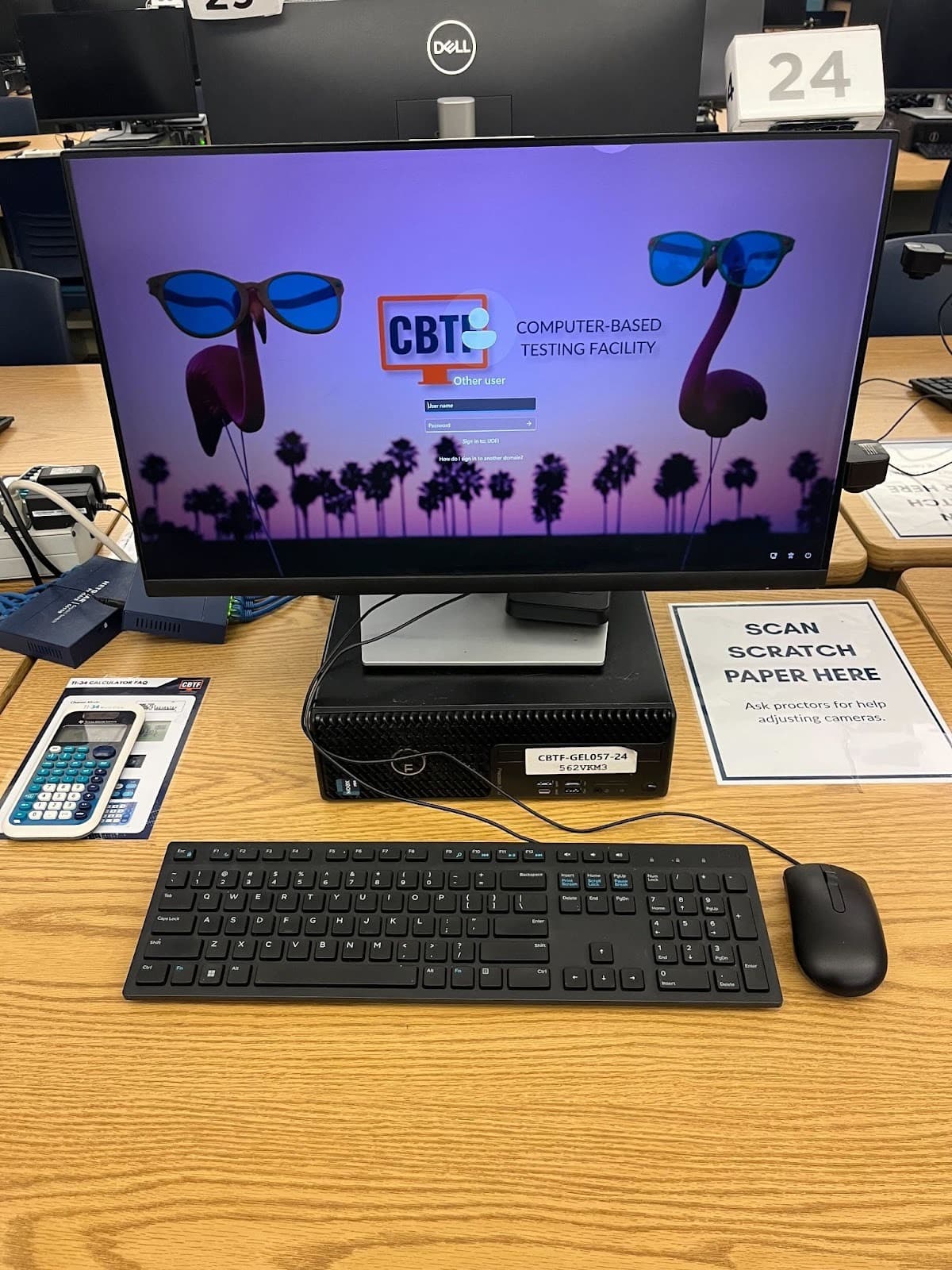
A CBTF workstation with the paper placement guide on the desk.
Make the process intuitive
The pl-image-capture element closely resembles a cell phone camera interface, and students generally adapted to it quickly. What proved less intuitive for students was understanding where to place the paper for image capture.
Early in the pilot, students frequently adjusted the cameras themselves, not realizing they were already positioned correctly. This often led to blurry images and required proctor intervention to help refocus the cameras.
To fix this, we added a clearly labeled paper placement guide on each desk showing exactly where written work should be positioned before taking a picture.
This simple adjustment eliminated almost all of the unnecessary camera movement, improved image quality, and reduced the time spent capturing submissions.
Use autofocus cameras
Our initial pilot used manual-focus cameras. Even when cameras were positioned correctly at installation, slight movements often caused images to become blurry, requiring proctors to help students refocus the cameras.
Switching to autofocus cameras substantially improved reliability. Students no longer needed assistance when cameras shifted slightly, and submitted images were consistently clearer.
Although manual-focus cameras are less expensive, autofocus proved worth the additional cost because it reduced interruptions and improved the overall testing experience.
Prioritize image resolution
Camera resolution mattered more than expected. While most images from our lower-resolution cameras were readable, lighter writing and slightly out-of-focus images became difficult to interpret.
The same submissions captured with higher-resolution cameras (4K) were noticeably easier to read, especially when students wrote lightly or when room lighting varied.
We also found that higher-resolution cameras handled changes in lighting better than lower-cost alternatives. Although the upfront cost was higher, the improvement in image quality benefited both students submitting work and instructors reviewing it.
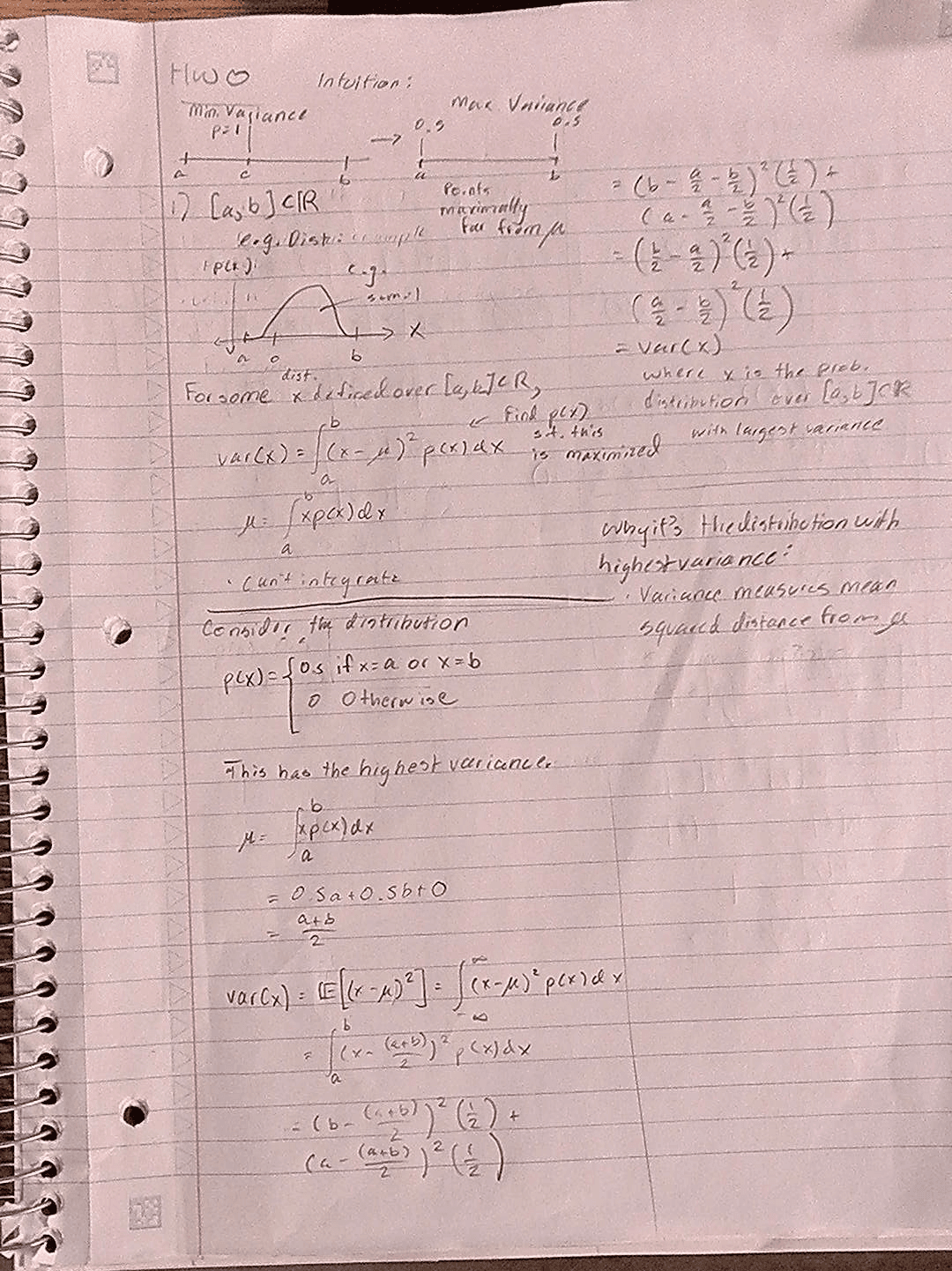
Low-resolution camera
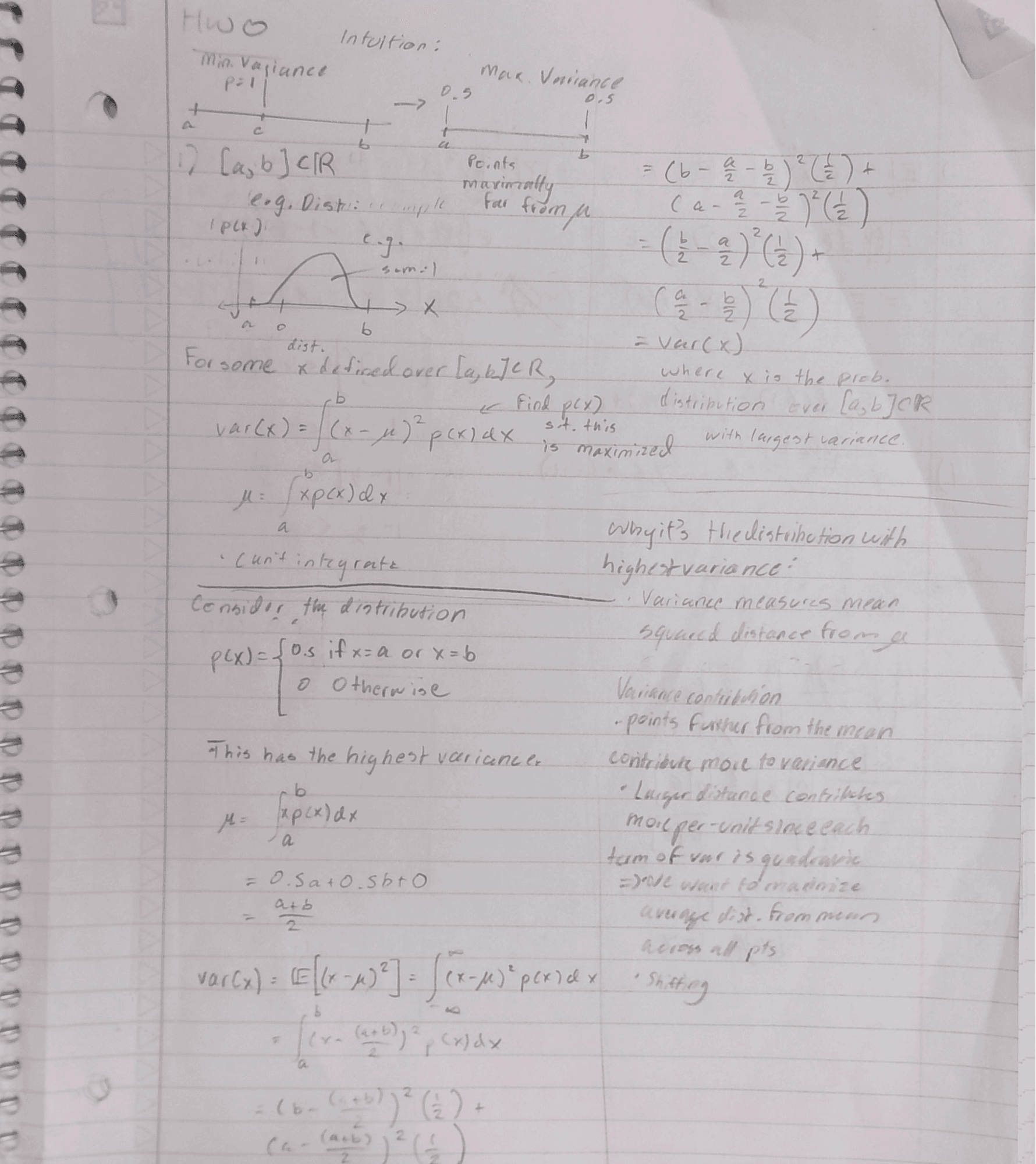
High-resolution (4K) camera
You can click on the images above to see them in full-screen.
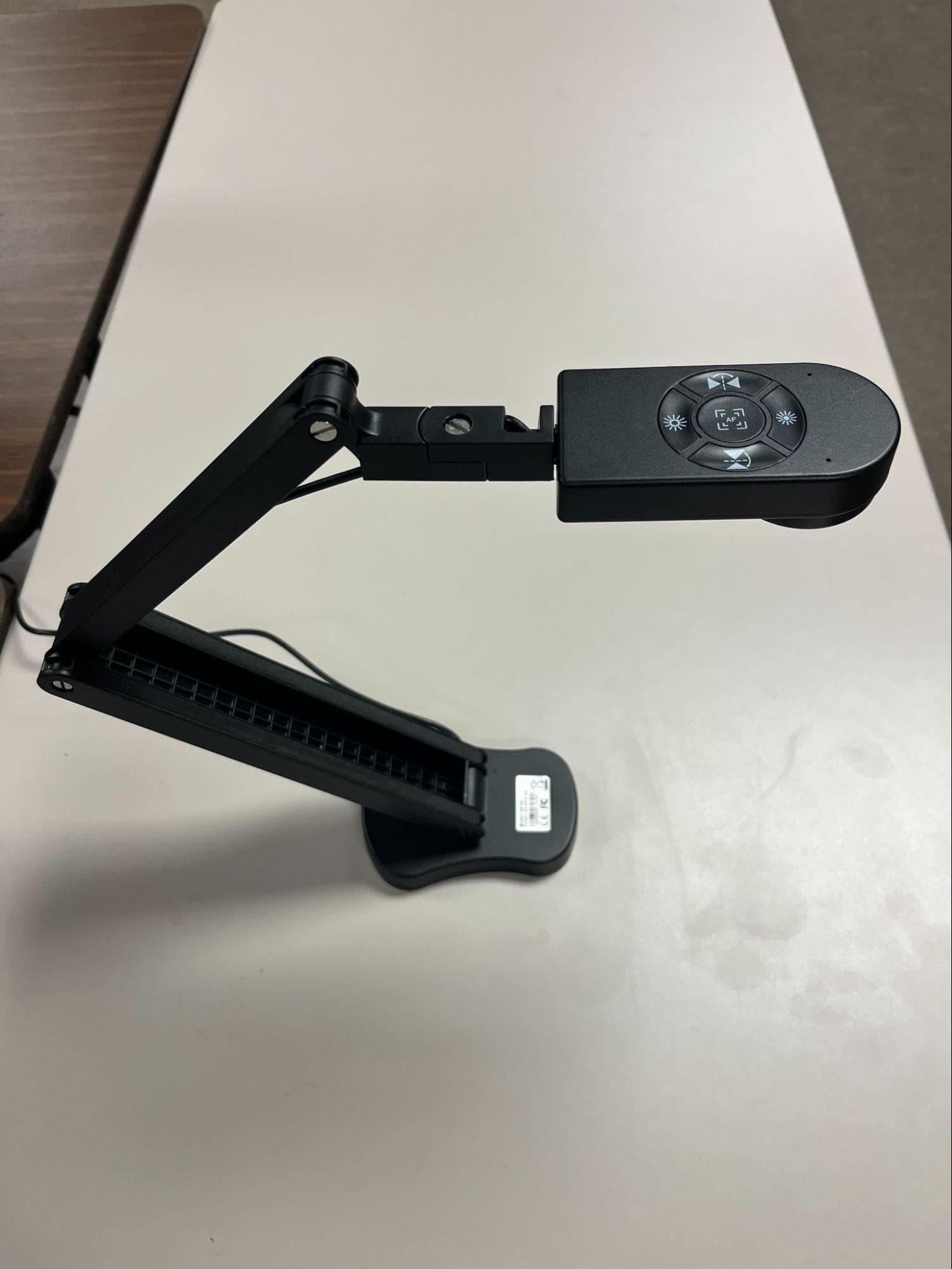
The cameras used in the CBTF are PaKOTOO KB700 models — 8MP USB document cameras with autofocus and a built-in light.
Prepare students before high-stakes use
The first time students use document cameras should not be during a high-stakes exam.
Students benefit from clear guidance in class and opportunities to use image capture in homework. Ideally, students would also be given the opportunity to practice using the cameras and element during a low-stakes or introductory quiz in the CBTF.
Giving students experience both inside and outside the CBTF helps ensure that, during an actual exam, they focus on course content and not on learning to navigate a new tool in the CBTF.
This preparation also gives instructors an opportunity to show examples of what not to submit, such as blurry or poorly framed images.
How the UIUC pilot was implemented
At UIUC, document cameras were introduced in Fall 2025 during a pilot involving one CBTF lab and two courses.
Camera setup
The installation goal was straightforward: preserve desk space while maintaining a clean workstation layout.
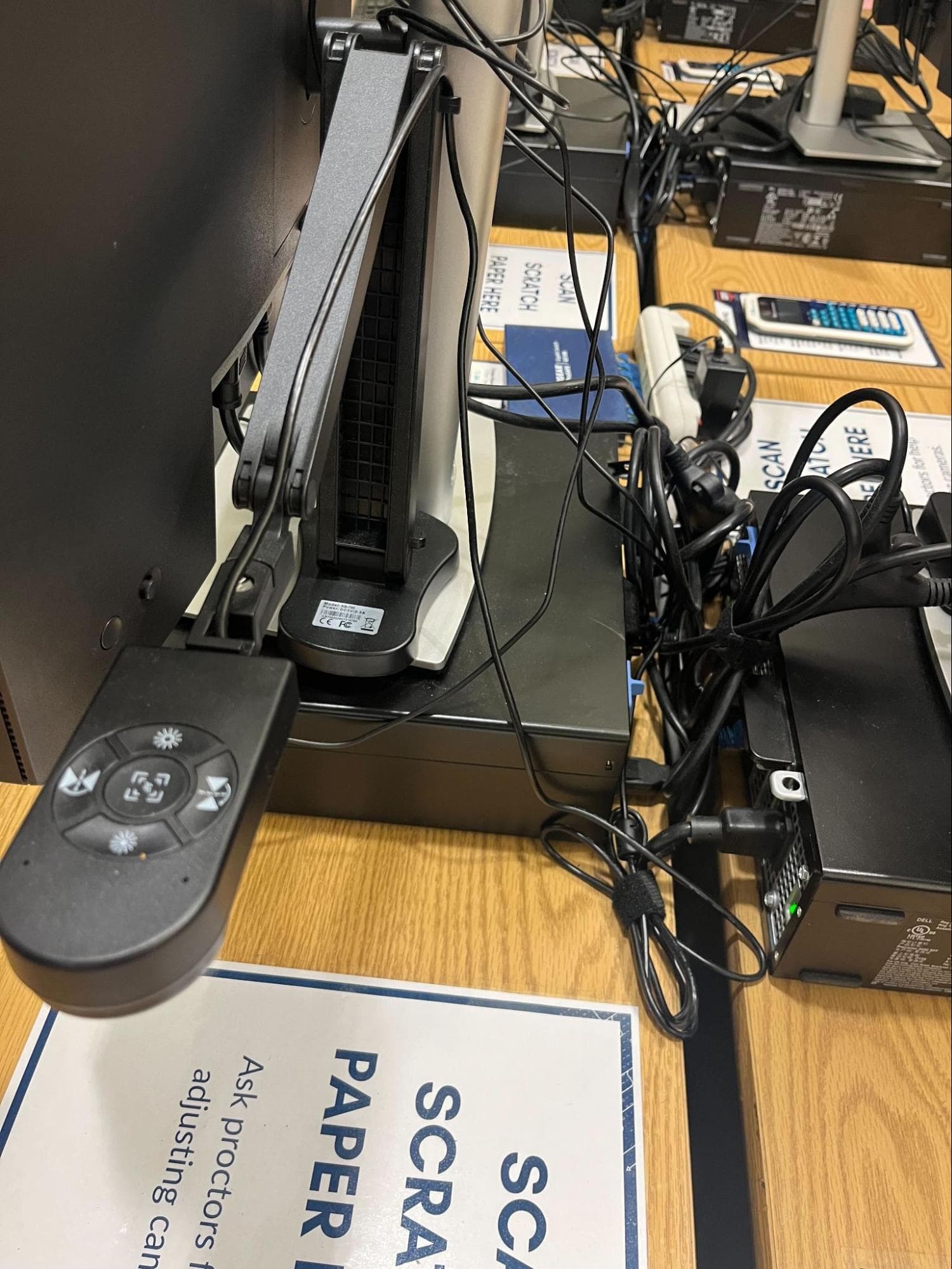
The folded camera sits alongside the monitor base to preserve desk space.
To accomplish this, each camera base was attached directly to the monitor base. Cameras also needed to be easy to replace in case of failure, so we mounted them using Velcro strips rather than permanent hardware.
After testing a couple of configurations, two Velcro strips, one at the front and one at the back of the camera base, provided the best stability. A single, centered Velcro strip allowed cameras to tilt and shift too much.
Because the cameras connect by USB and don't require software installation, this setup also made replacement easy. Proctors could quickly remove a bad camera and install a spare camera that was kept in the lab.
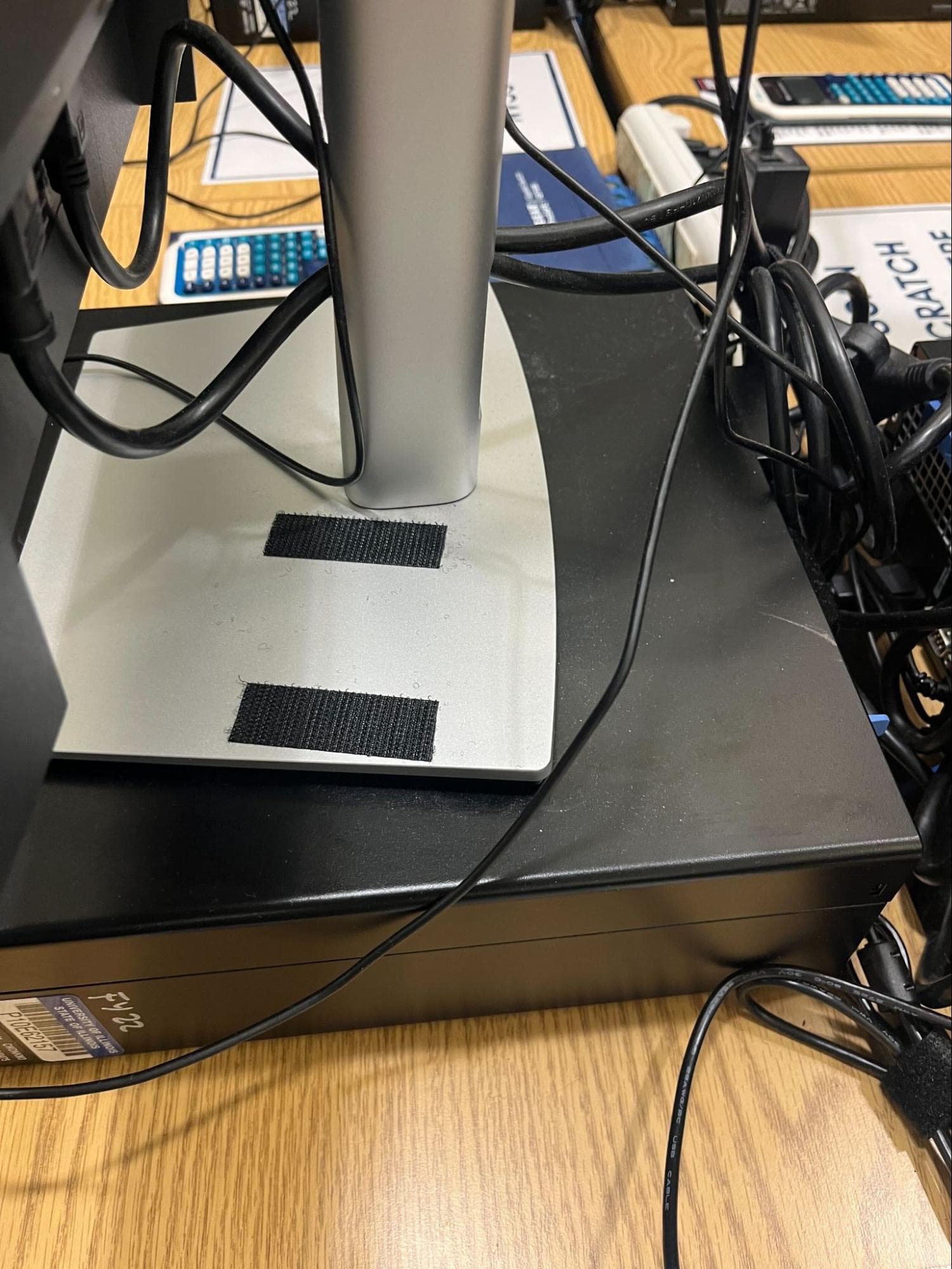
Two Velcro strips on the monitor base — front and back — provided the best stability.
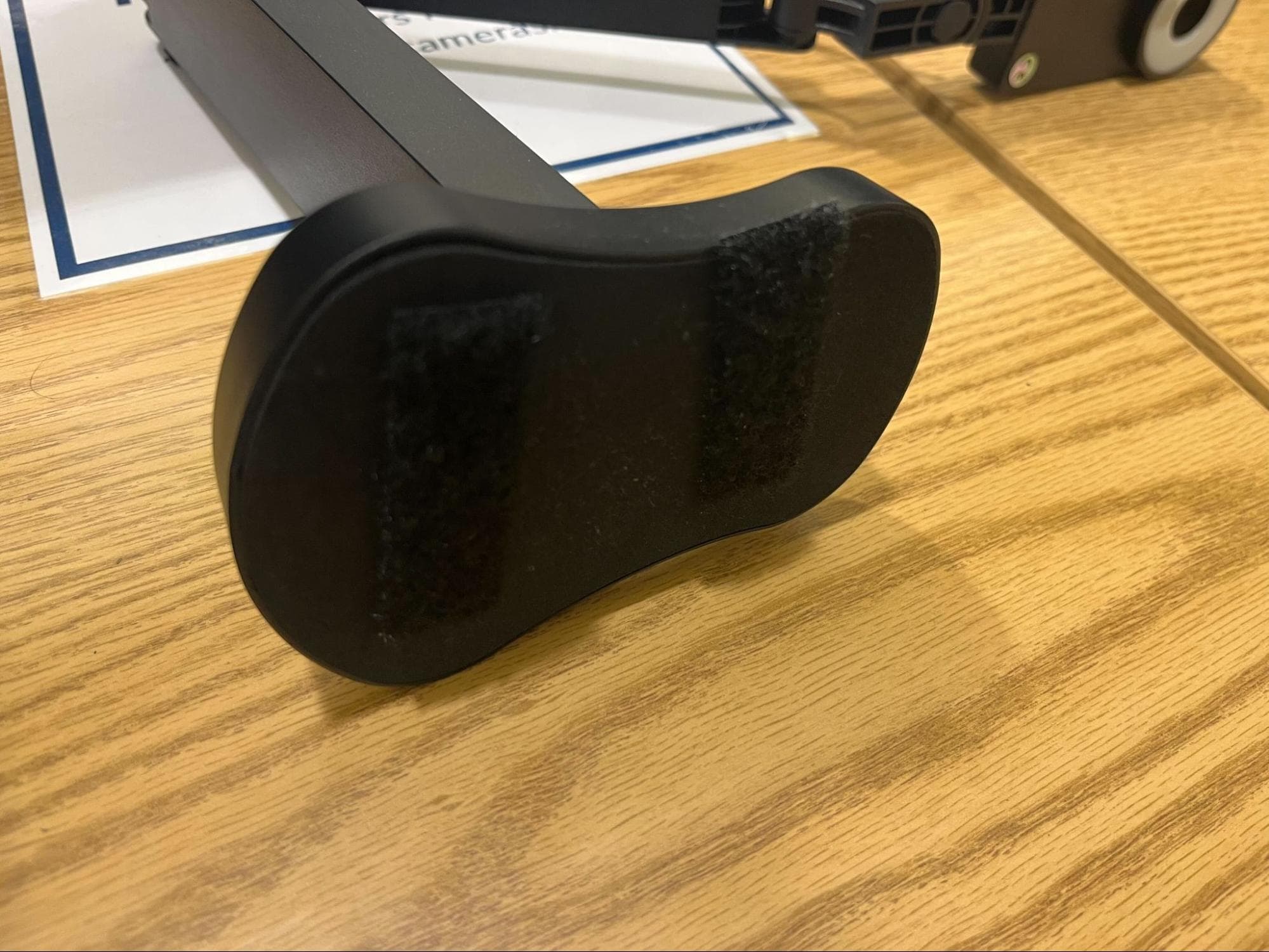
Matching Velcro strips on the underside of the camera base.
PrairieTest setup
Because cameras were installed in only one CBTF, we needed to ensure that students from the two courses using the cameras would have enough available reservation options and also could only make a reservation in the lab equipped with the cameras.
We ensured that enough reservation options were available by installing the cameras in our second-largest lab and by coordinating the exam schedules of the two courses using the cameras so their exam windows didn't overlap.
We restricted exams to the correct lab using labels in PrairieTest.
Step 1: Create a label "Camera Required" in PrairieTest and configure it so that (1) exams with the label can make reservations in sessions that also have the label, and (2) exams with the label cannot make reservations in sessions that do not have the label.

Label rules: Camera Required exams can only reserve Camera Required sessions, but other exams can still use the same lab.
Step 2: Assign the "Camera Required" label to the lab where the cameras are installed, but don't add the label to sessions in other labs.

Only sessions in the camera-equipped lab (Grainger Library 057) carry the label.
Step 3: Assign the label to exams that will be required to use the document cameras.
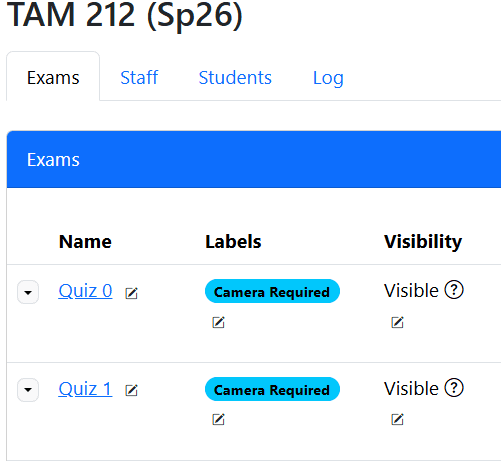
Quizzes in TAM 212 tagged Camera Required — students can only reserve sessions in the camera-equipped lab.
This configuration ensured that exams requiring written image capture could only be scheduled in the lab with document cameras, while still allowing the lab to be used efficiently by other courses.
Two important tradeoffs
Partial credit and regrade requests
Adding written work also changed how some students interacted with grading.
After document cameras were introduced, some instructors reported an increase in regrade requests because students could now point to submitted written work and request partial credit.
Before document cameras, these requests were uncommon in CBTF exams because handwritten work was unavailable.
This raises an important pedagogical question: does access to written work improve feedback, or does it encourage grading practices that may conflict with course goals?
In some settings, written work meaningfully reveals reasoning. In others, awarding partial credit for incomplete or incorrect work may work against mastery-based assessment by rewarding process without requiring a correct final result. Research on traditional partial-credit practices suggests that, depending on how it is implemented, it can sometimes work against long-term learning goals.
Student flexibility
Because the pilot operated in only one lab, students in those courses had fewer scheduling options than they were accustomed to.
Students often describe the ability to choose when and in which lab to take their exams as one of the most valuable features of the CBTF. Restricting camera-based exams to a single location reduced that flexibility, leading to some complaints from students.
For this reason, we do not recommend equipping only some of the CBTF labs with document cameras.
At UIUC, the long-term goal is to install cameras across additional labs so students can continue choosing the lab where they feel most comfortable testing.
Final thoughts
Document cameras expand the possibilities of what can be done in the CBTF.
With the right setup and adequate student preparation, they make it possible to collect written work efficiently while preserving scheduling flexibility and operating at scale. More importantly, they expand the kinds of responses students can provide during exams, opening the door to question designs that ask students to show more of their reasoning through derivations, diagrams, and other handwritten work.