Freehand curve sketching with pl-sketch
A new PrairieLearn element enables auto-graded freehand curve sketching questions
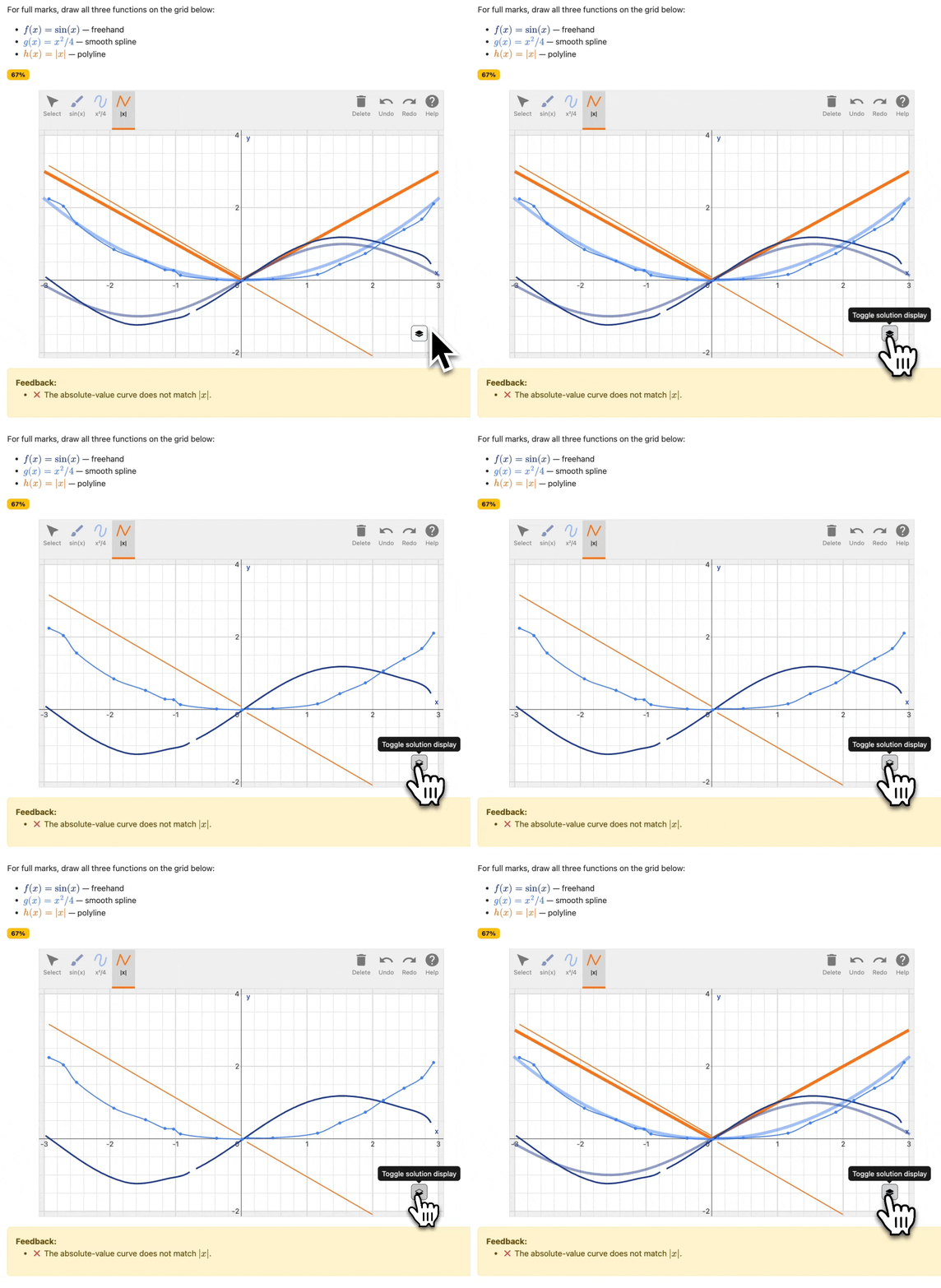
A pl-sketch question with three curves drawn using freehand, spline, and polyline tools, auto-graded with per-curve feedback.
Your students can now sketch arbitrary mathematical curves directly in PrairieLearn, and have their work auto-graded against your criteria. The new pl-sketch element opens up curve-sketching questions for mastery practice and fully automated exams.
pl-sketch builds on SketchResponse (source), a sketch input and grading library originally developed at MIT by Martin Segado, Jennifer French, and Phillip Z. Ai (paper).
Three ways to draw
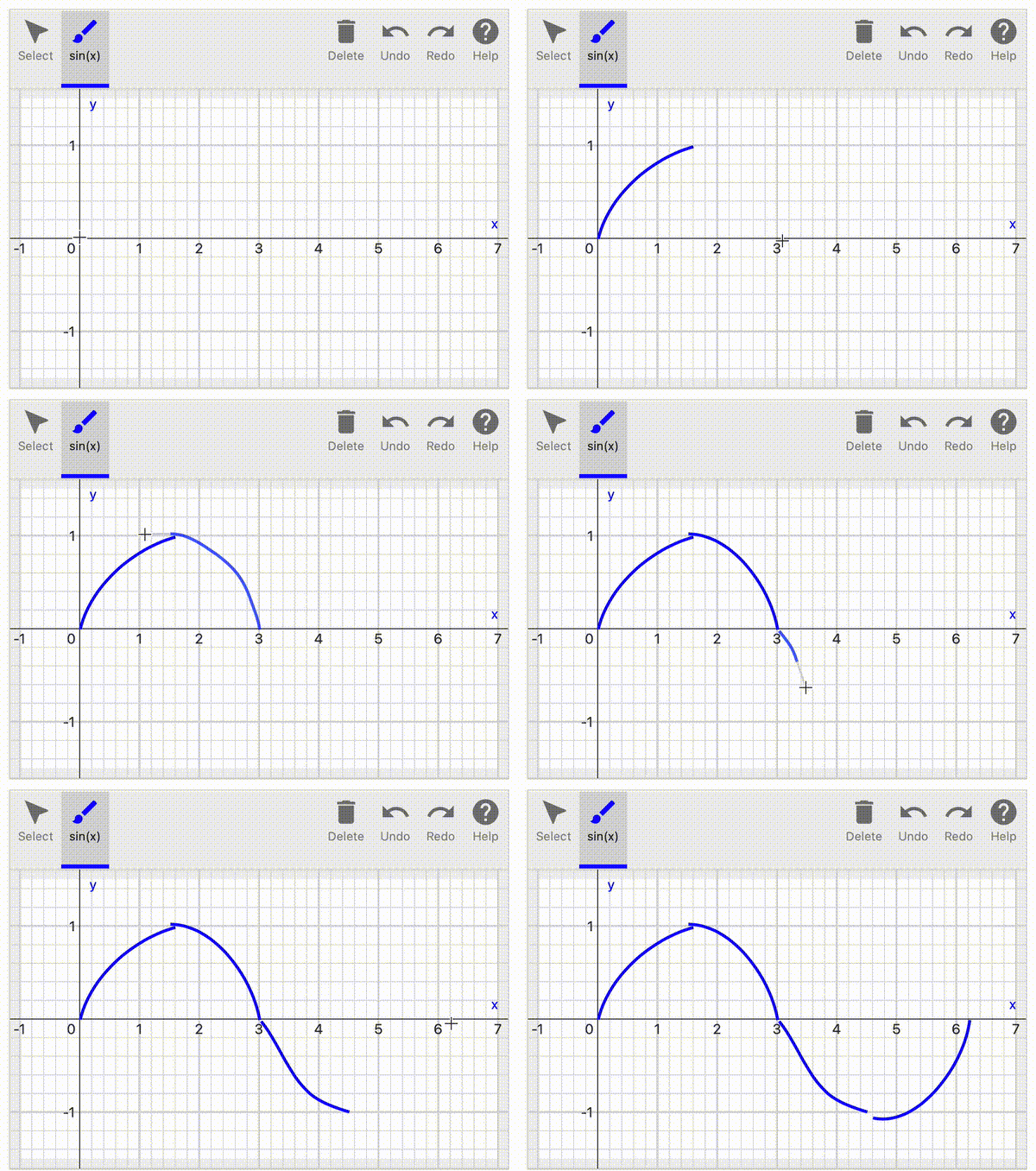
Draw in any order or in multiple strokes. Light smoothing is applied, and small gaps or overlaps are merged into a continuous function for grading.
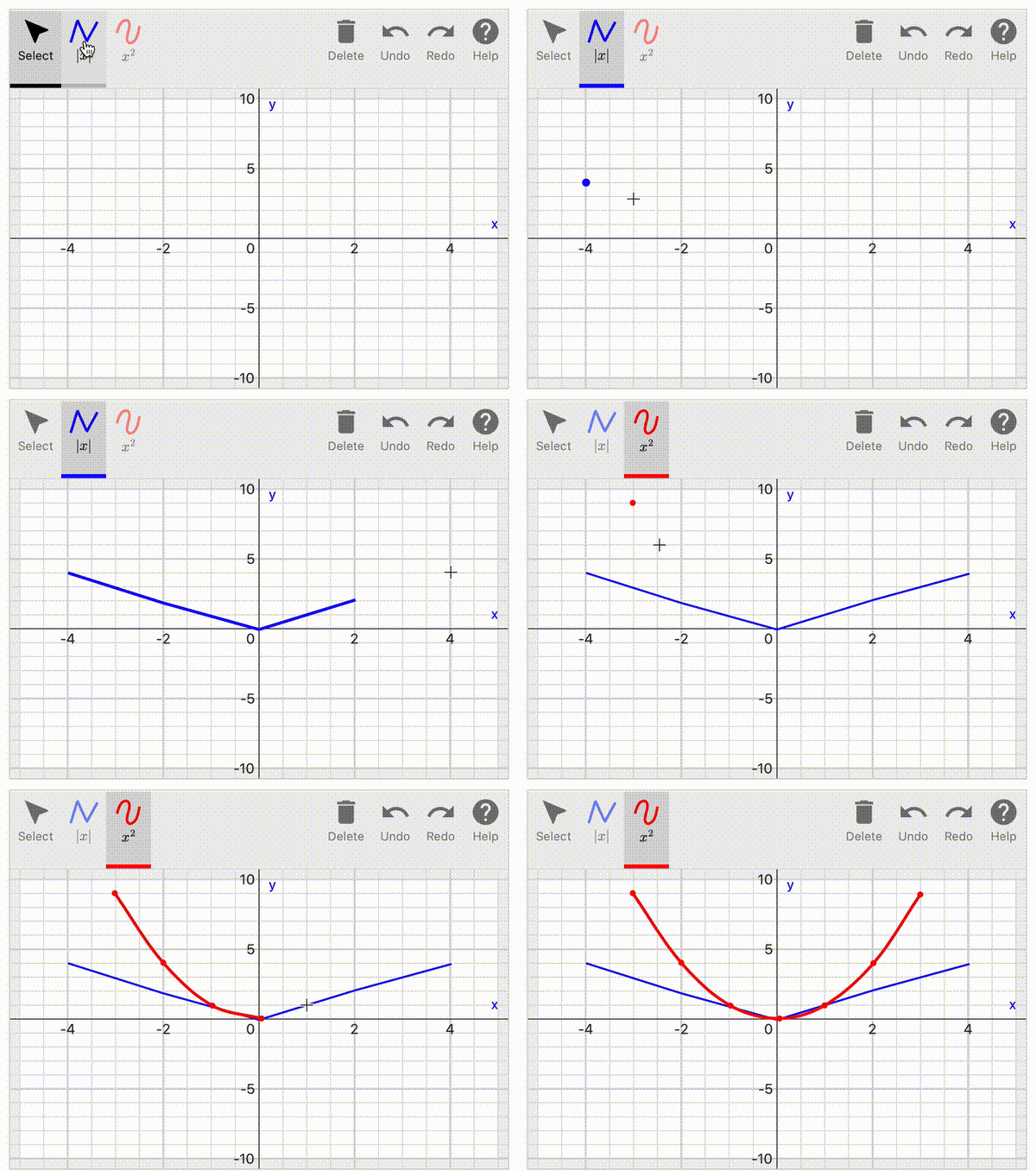
Define reference points and let the tool connect them with smooth splines or straight lines. Multiple drawing tools can share a single canvas.
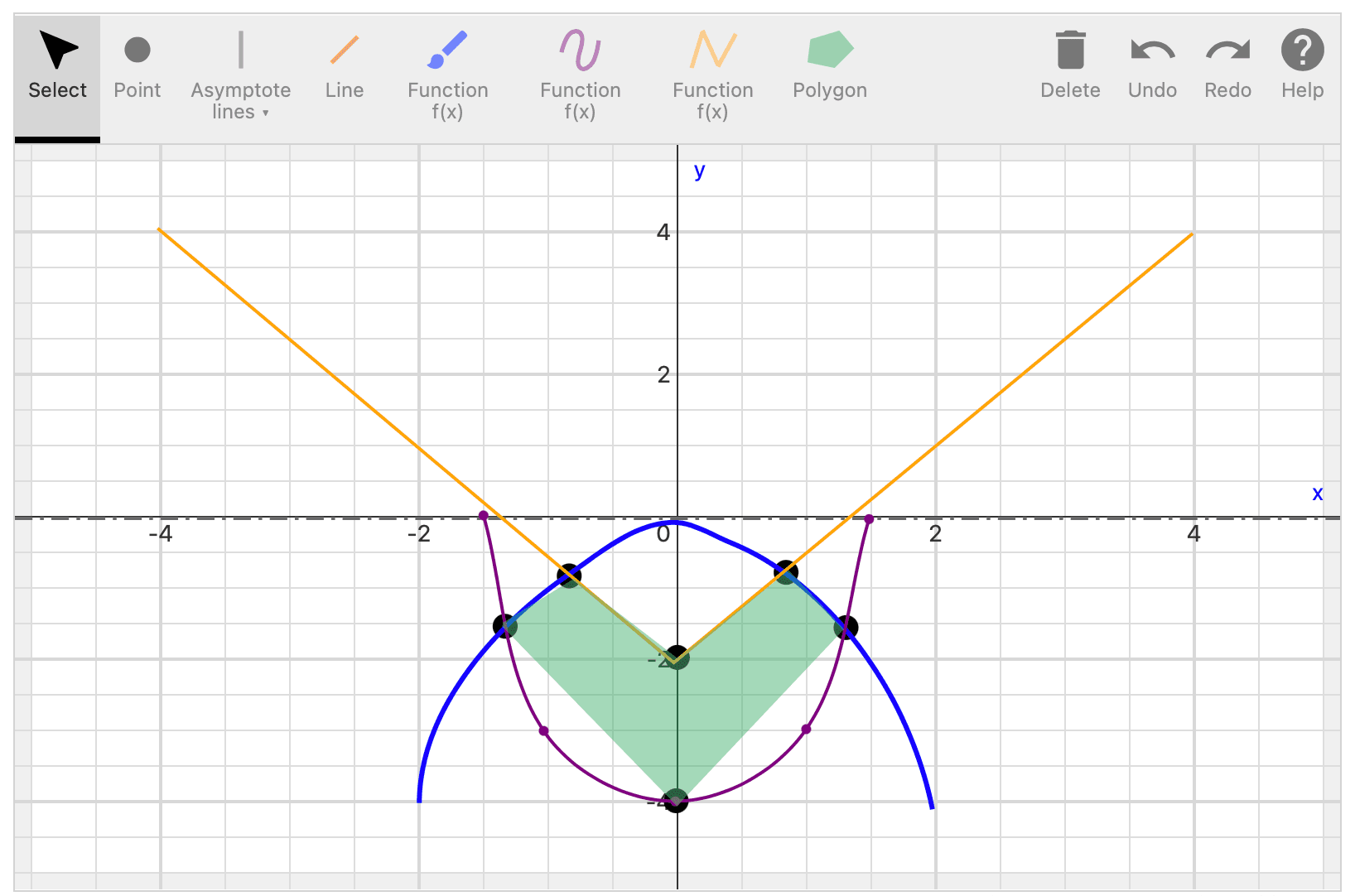
Mark points like intersections or extrema, horizontal and vertical asymptotes, and enclosed areas alongside the curves themselves.
Grade the function, not the strokes
pl-sketch ships with a collection of modular grading criteria you can mix and match. The full reference is in the pl-sketch documentation, but the available checks include:
match-function: compares a drawn curve to a reference function, with configurable x-range and tolerance.match: checks whether drawn objects touch or intersect a specific point or coordinate.count: compares the number of drawn objects to an expected count.defined-in/undefined-in: requires a curve to cover (or stay clear of) a given x-interval.less-than/greater-than: bounds the drawn curve above or below a reference value or function.monot-increasing/monot-decreasing: checks monotonicity across the drawn curve's domain.concave-up/concave-down: checks concavity across the drawn curve's domain.
Criteria can be stacked for partial credit, or to gate one check behind another (e.g., only check concavity once monotonicity passes). Some questions from the example course (gallery/sketch) are reproduced below (click to enlarge).
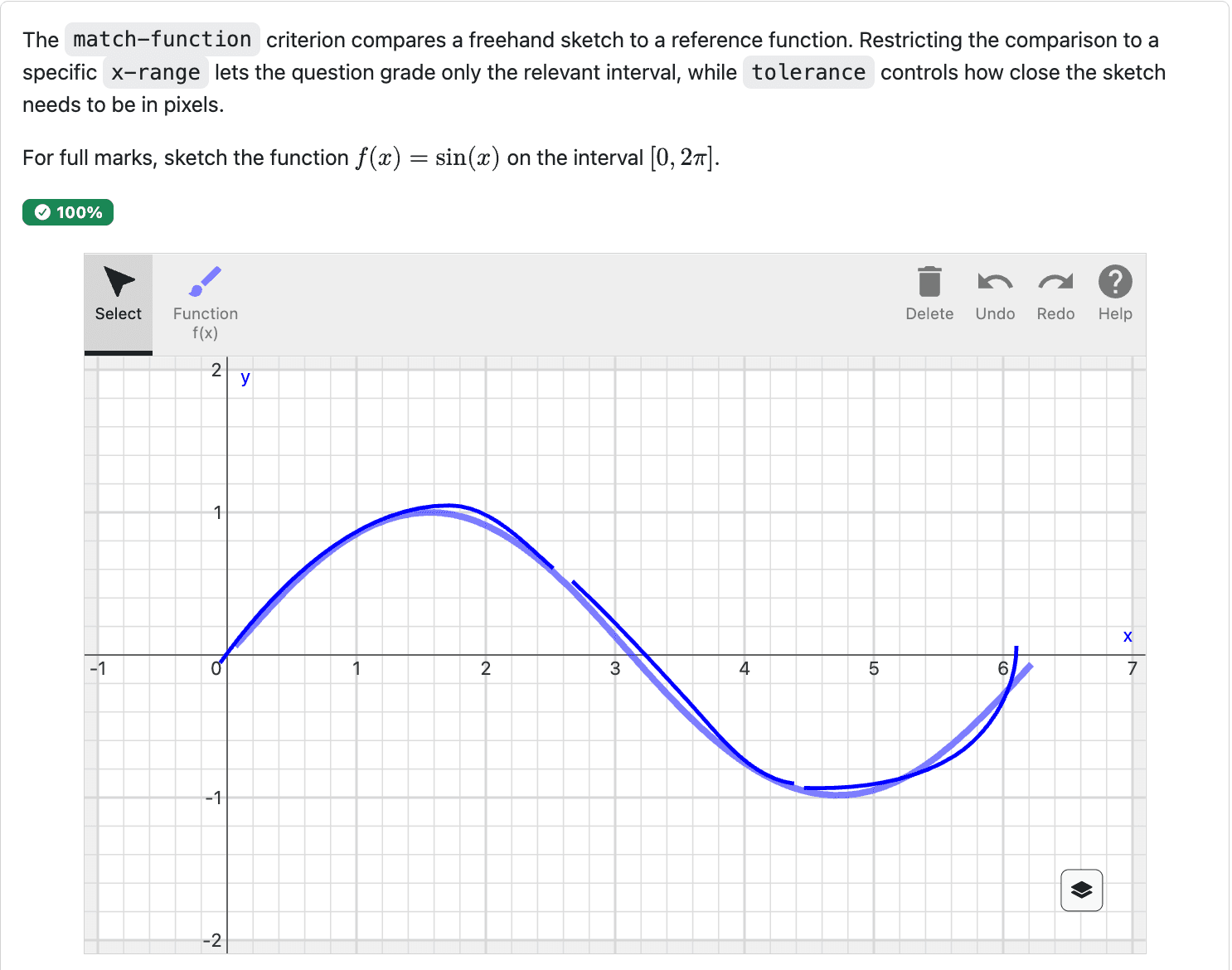
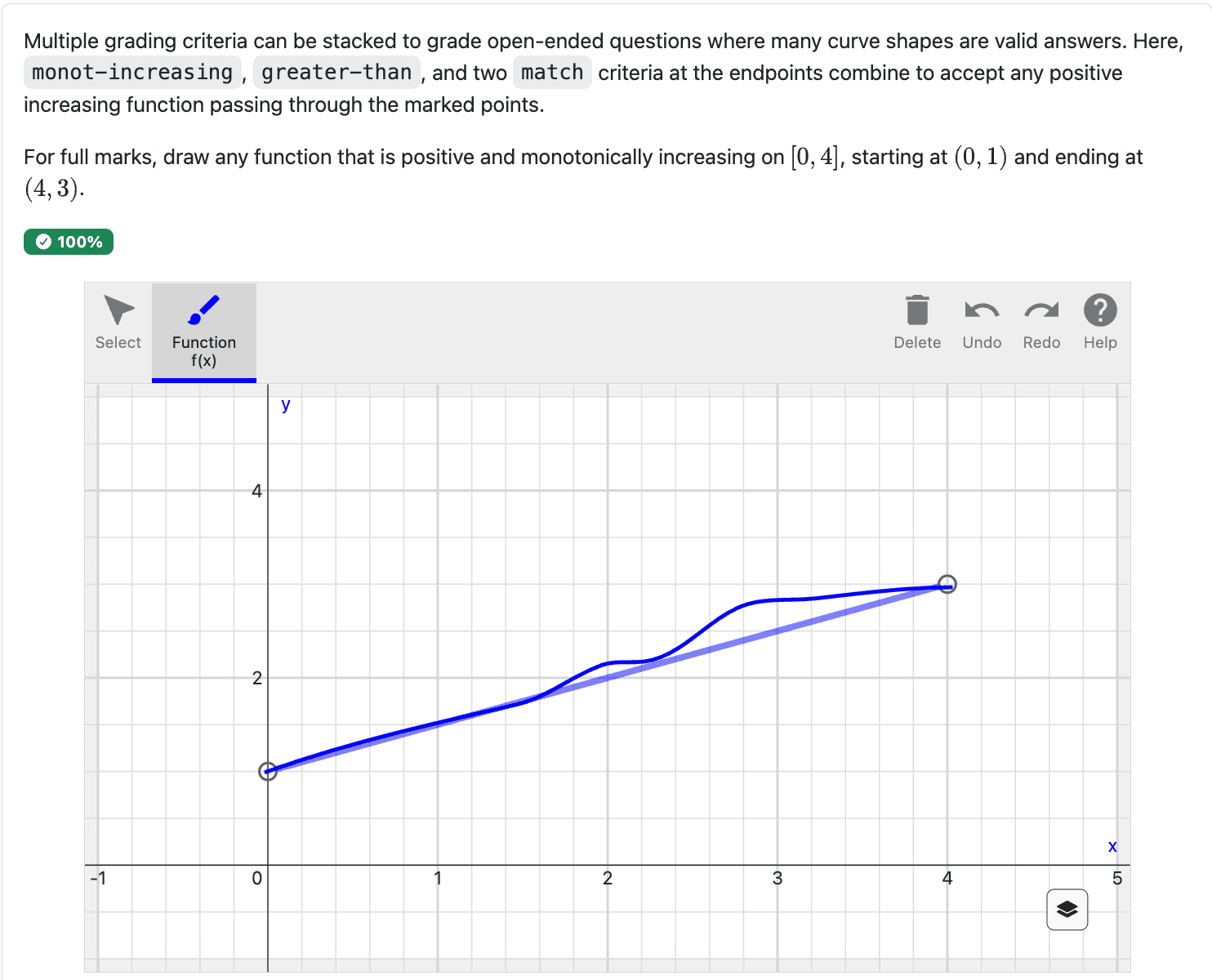
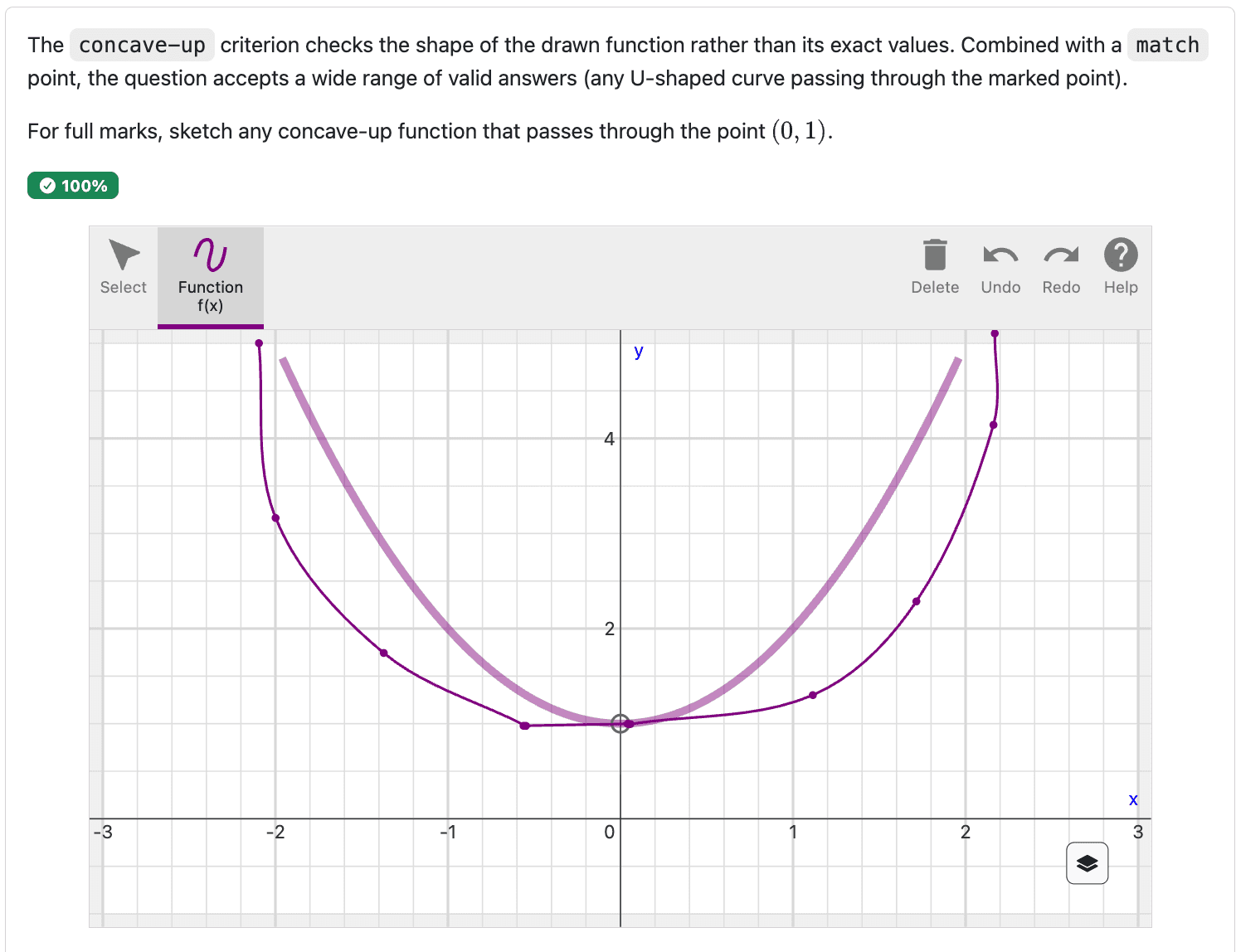
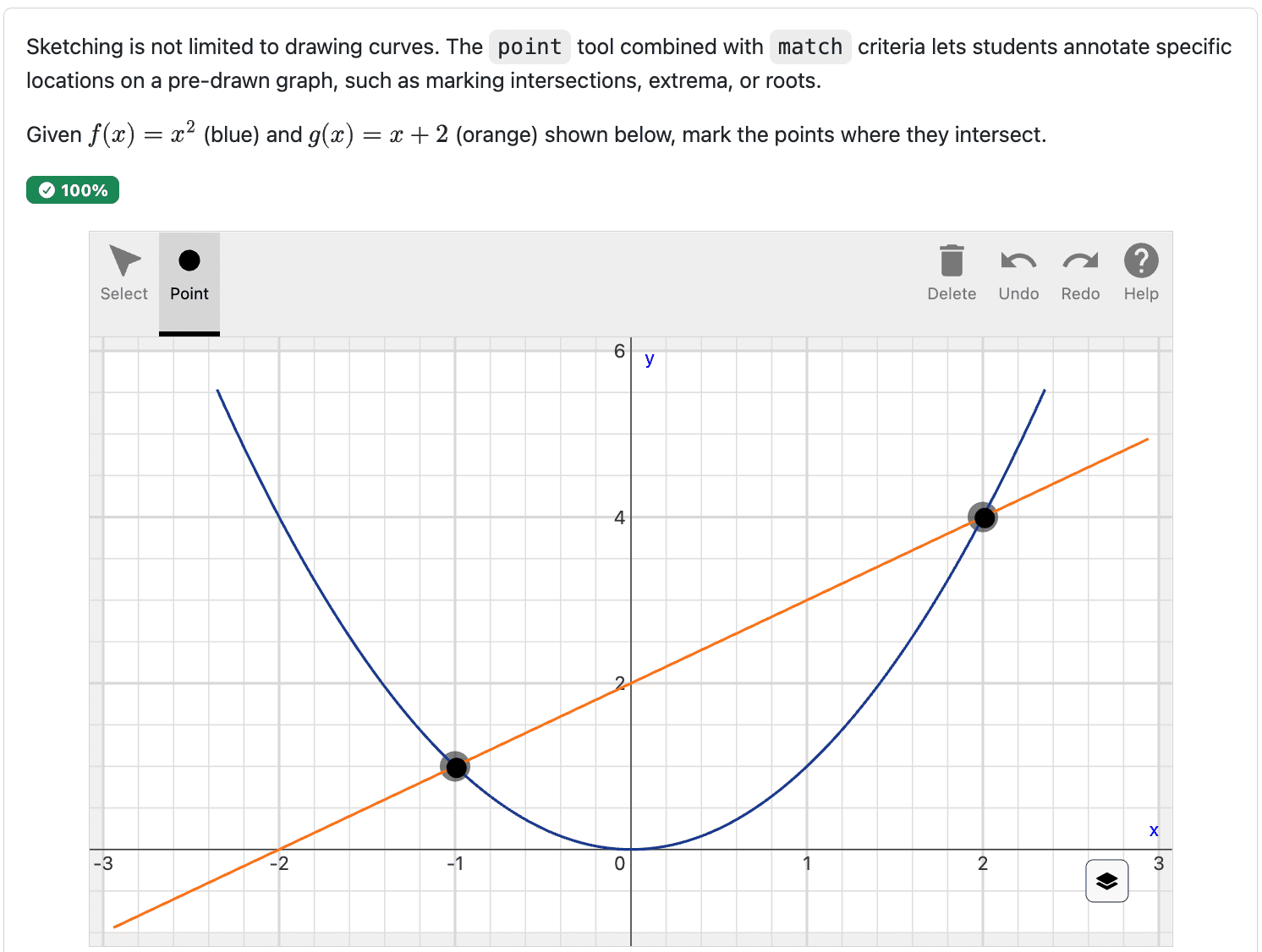
Every grading criterion can carry custom feedback explaining (or, if you prefer, not revealing) why a submission earned its score. Once the answer is released, students can overlay their submission against the sample solution to see what they missed.
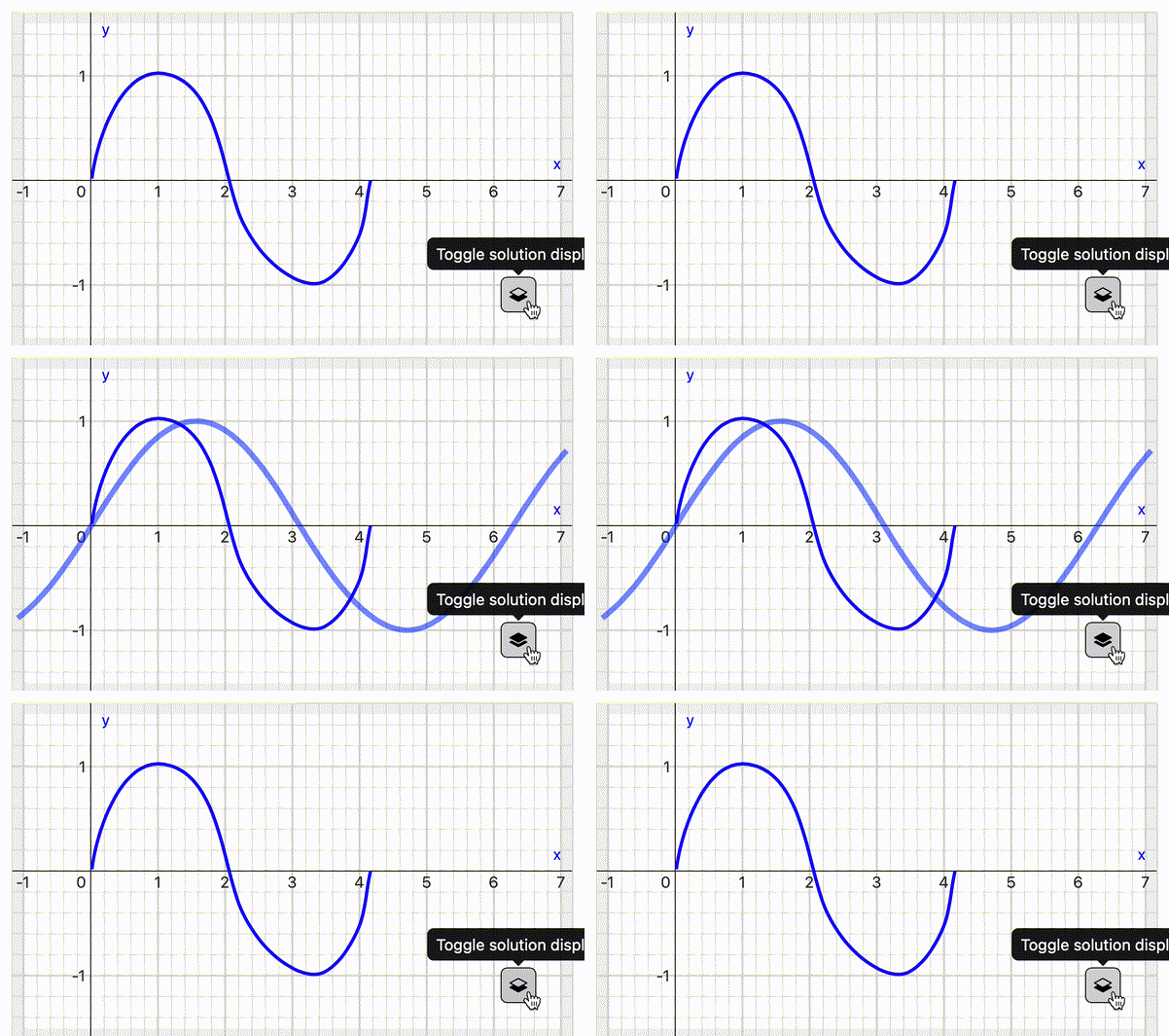
Animation showing the overlay of a student's submission and the sample solution
Choosing a drawing element
pl-sketch is one of several elements PrairieLearn provides for capturing student drawings. Its closest relative is pl-drawing, which takes a different approach to the same kind of question:
Students draw arbitrary curves freehand, or via spline and polyline tools. Grading evaluates the resulting function (its values, shape, and mathematical properties) rather than matching against placed objects.
Students assemble diagrams from a fixed library of pre-defined objects, like straight segments and parabolic fragments. Great for shape-matching, but capped at the shapes the element supports.
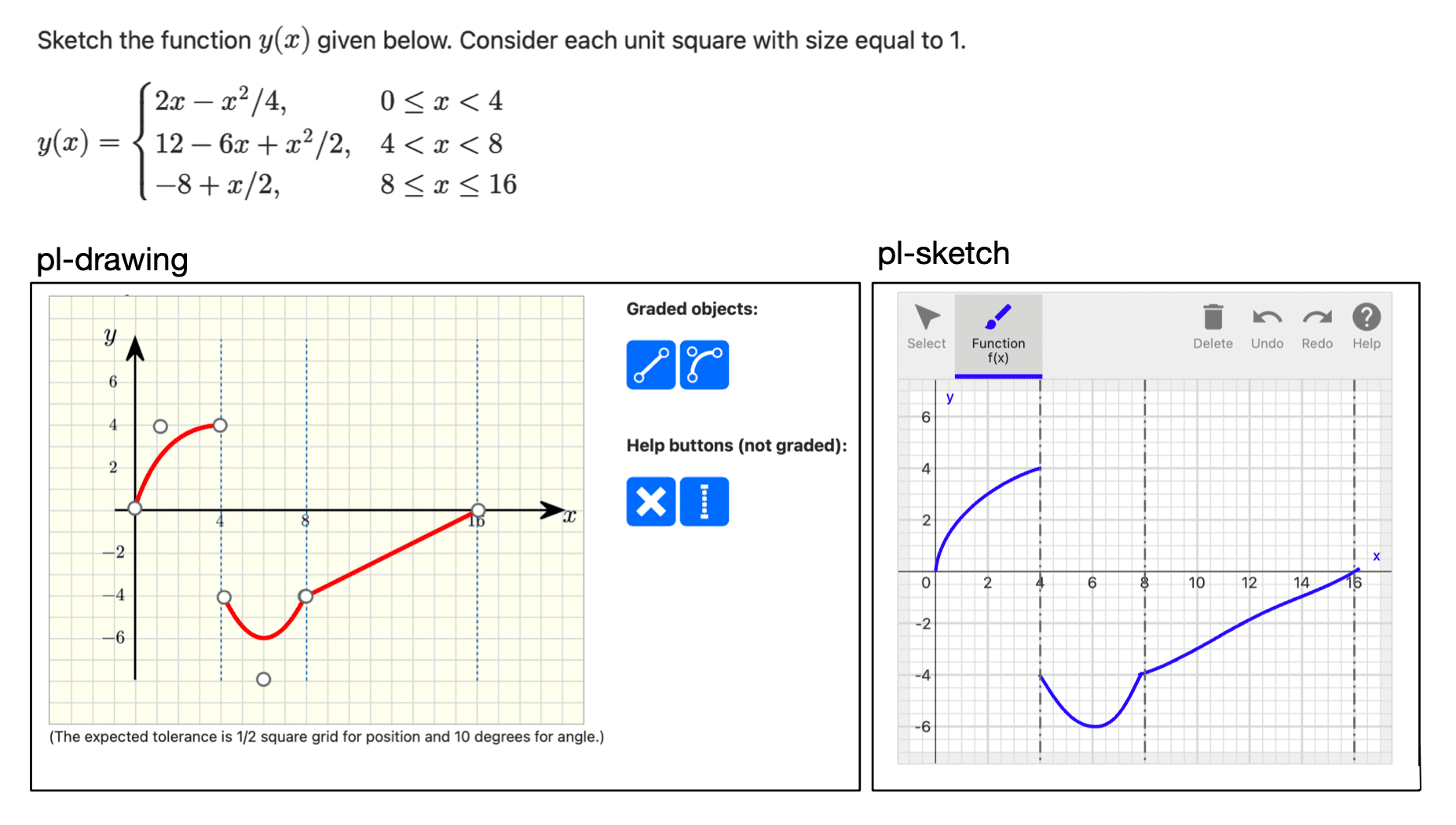
The same curve-sketching question rendered with pl-drawing (left) and pl-sketch (right).
For the broader picture, see the drawings and images section of the elements docs for a decision flowchart that helps you pick the right element.
If you're using pl-sketch in your teaching, we'd love to hear what's
working, what's missing, and any bugs you run into. Find us on Slack
or read the pl-sketch
documentation.