Introducing AI grading
AI grading evaluates open-ended submissions, typed or handwritten, and scores them against your rubric in seconds. Grading hundreds of submissions now takes a single click, and it's available to all PrairieLearn instructors today.
AI grading is opt-in and transparent. AI grading decisions come with detailed explanations and are clearly distinguished from human grades. Course staff remain the final decision-makers on student grading. Student submissions are never used to train AI models when using PrairieLearn AI grading credits.
- Redeem your free credit under Instance settings → AI grading.
- Head to your assessment question's manual grading page.
- Click AI grading mode.
For full setup instructions, see the AI grading documentation.
How it works
1. Collect submissions
Open-ended text or images from your students — handwritten work fully supported.
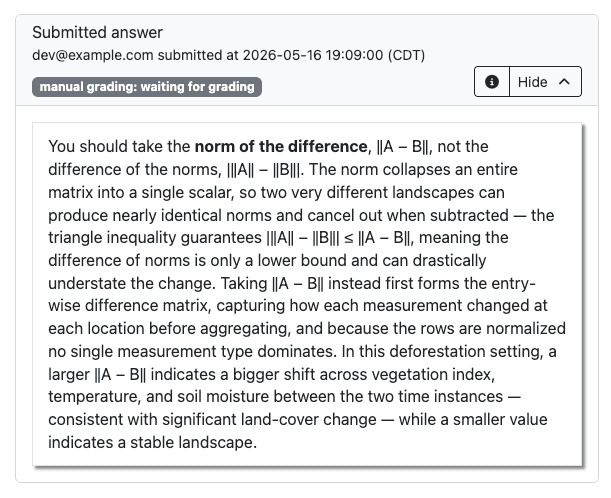
Text submission from pl-rich-text-editor element
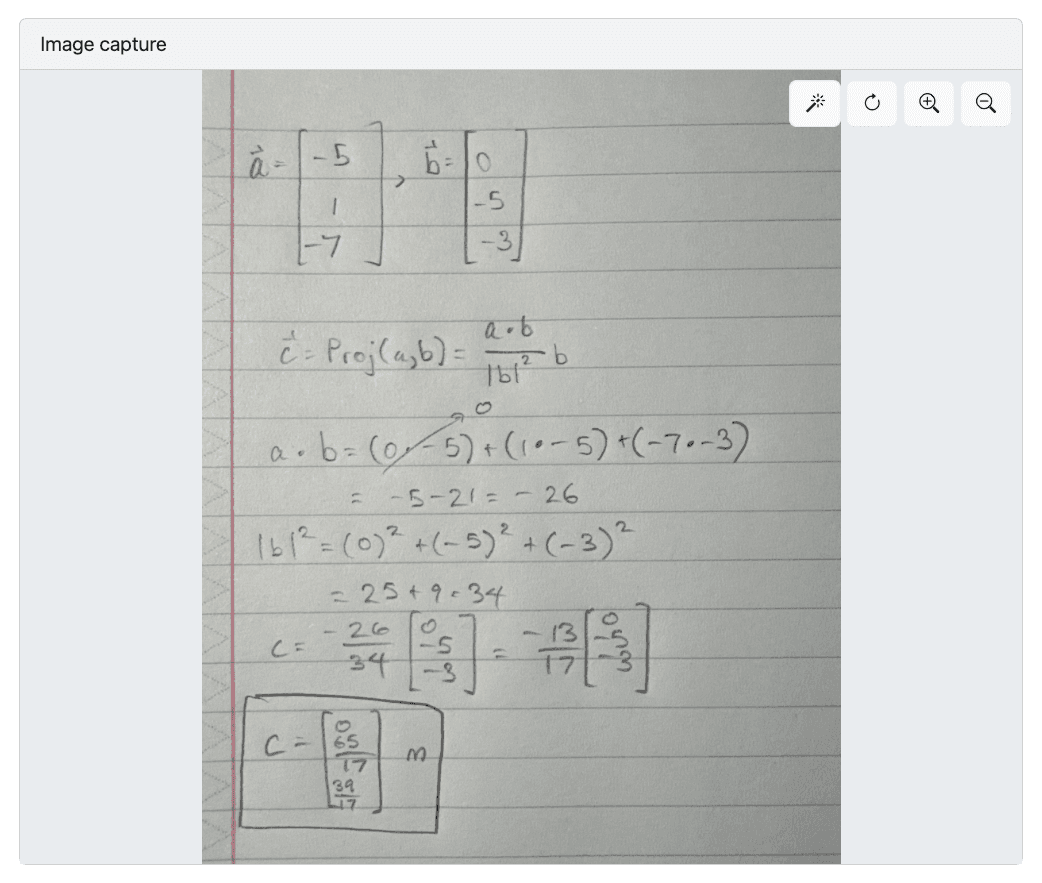
Image submission from pl-image-capture element
2. Run AI grading
Select the model that fits your assessment best.
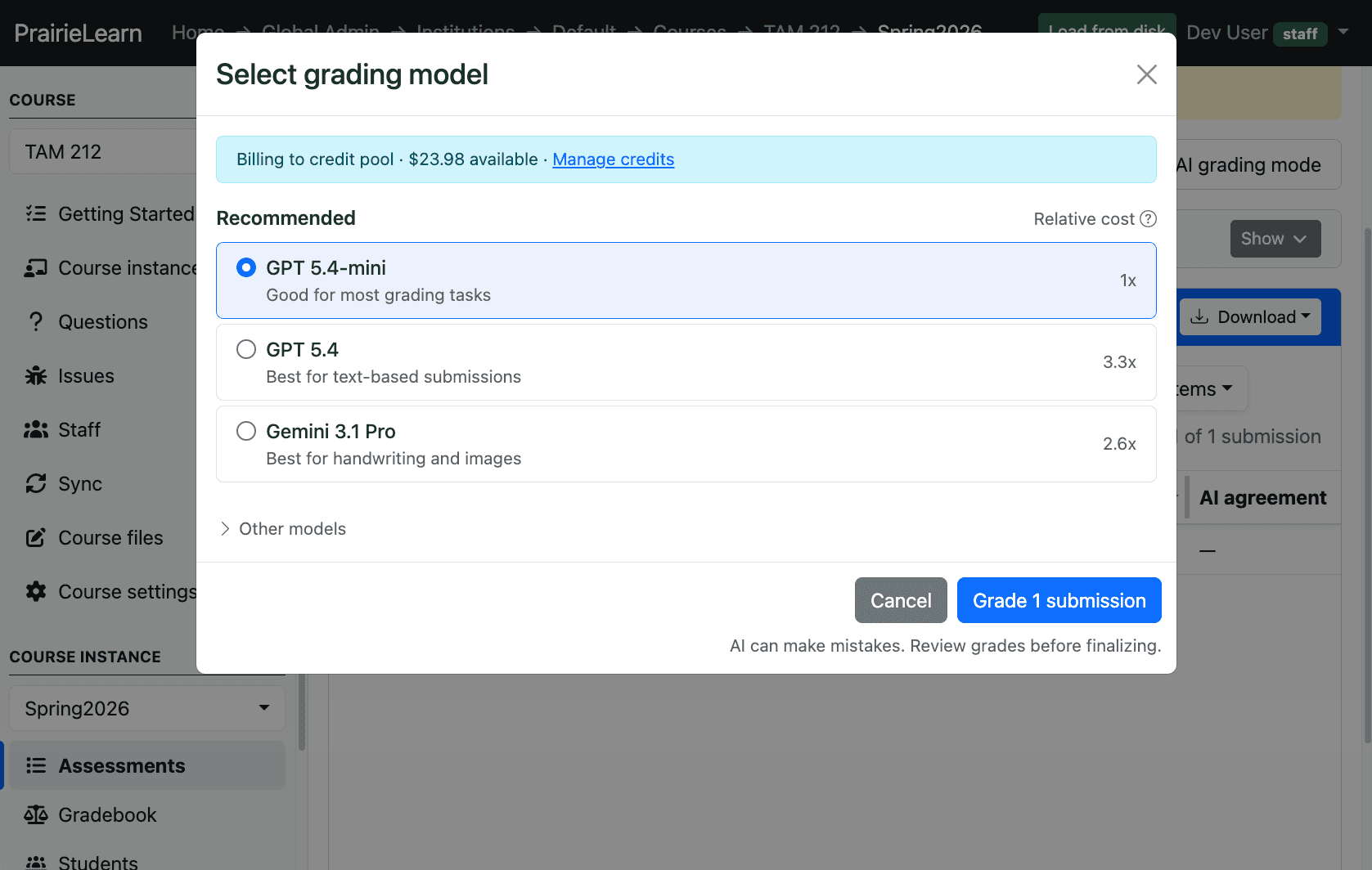
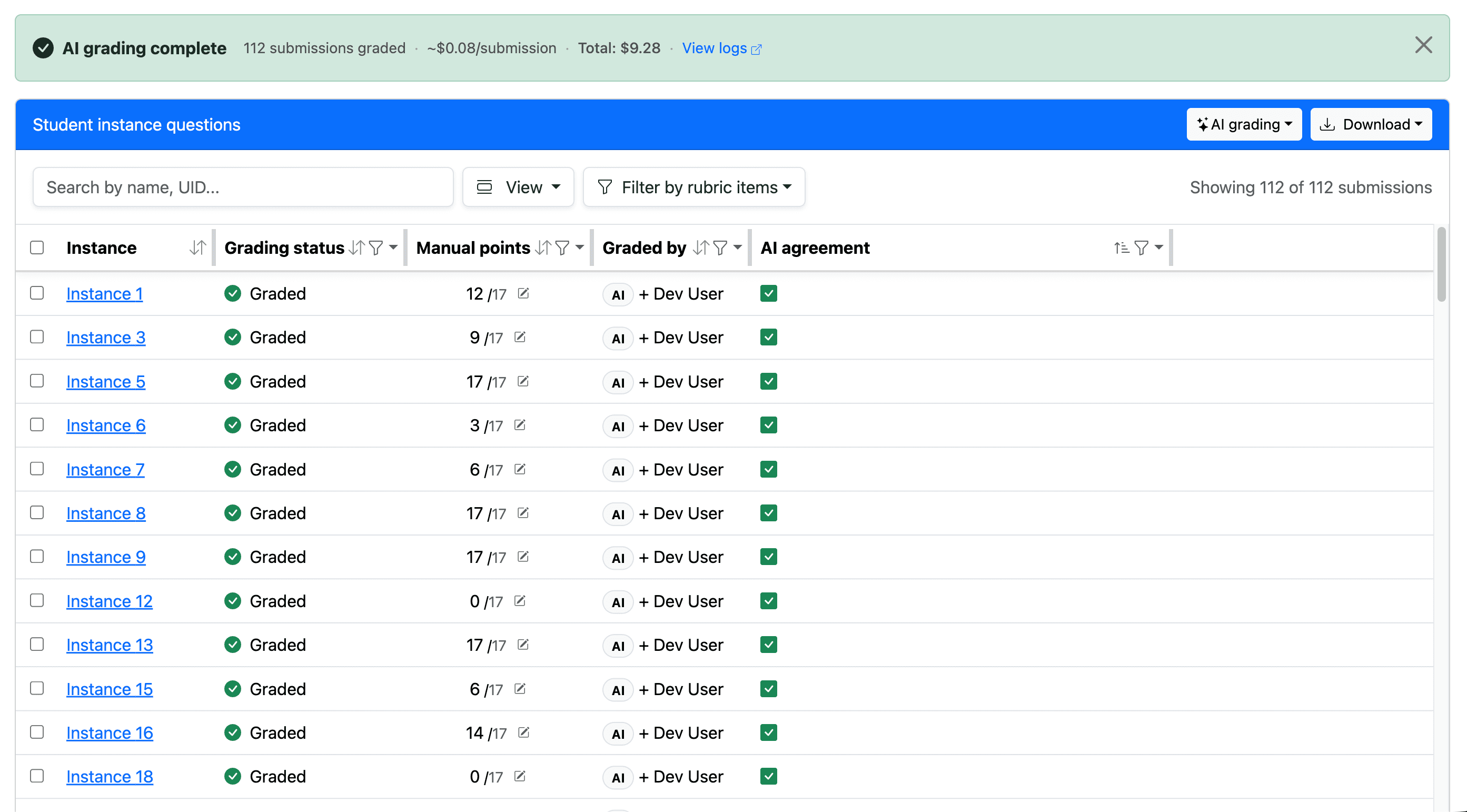
3. Come back in a few minutes
Submissions are graded, with detailed reasoning attached to every decision.
Proven accuracy, backed by peer-reviewed research
We validated AI grading on thousands of real student submissions across multiple STEM courses at the University of Illinois Urbana-Champaign, where the system has been piloted since Fall 2025.
Across a range of open-ended questions and frontier models, rubric-item accuracy exceeded 99% when paired with clear student work and a well-aligned rubric. Instructors and TAs reported that AI grading was as accurate as human graders for their needs and saved enormous amounts of grading effort.
Read our published research on image grading and text grading.
Pick the right model for your assessment
AI grading lets you choose the model that fits your submissions, budget, and timeline.
Good default for most assessments. The most affordable option.
Best for text submissions where careful reasoning matters most.
Best for handwriting and image-heavy submissions.
Speed and costs of each model
Real numbers from two PrairieLearn courses, measured end-to-end from clicking Grade all submissions to completion.
Numerical methods question: 140 typed paragraph submissions
| Model | Total time | Total cost |
|---|---|---|
| GPT 5.4-mini | 20 seconds | $0.30 |
| GPT 5.4 | 30 seconds | $0.80 |
| Gemini 3.1 Pro | 80 seconds | $1.80 |
Intro dynamics question: 240 image submissions of handwriting
| Model | Total time | Total cost |
|---|---|---|
| GPT 5.4-mini | 1 minute | $1.00 |
| GPT 5.4 | 2 minutes | $3.80 |
| Gemini 3.1 Pro | 6 minutes | $11.80 |
Direction and interpretability at every step
Every grade comes with a detailed explanation of the model's reasoning and its transcription of image submissions — so you can audit decisions, spot edge cases, and trust the results. AI grading works best as a fast first pass, with human review reserved for the cases that need it. Instructor-assigned grades always take precedence.
To adjust grading behavior, update the rubric instructions — the model follows them.
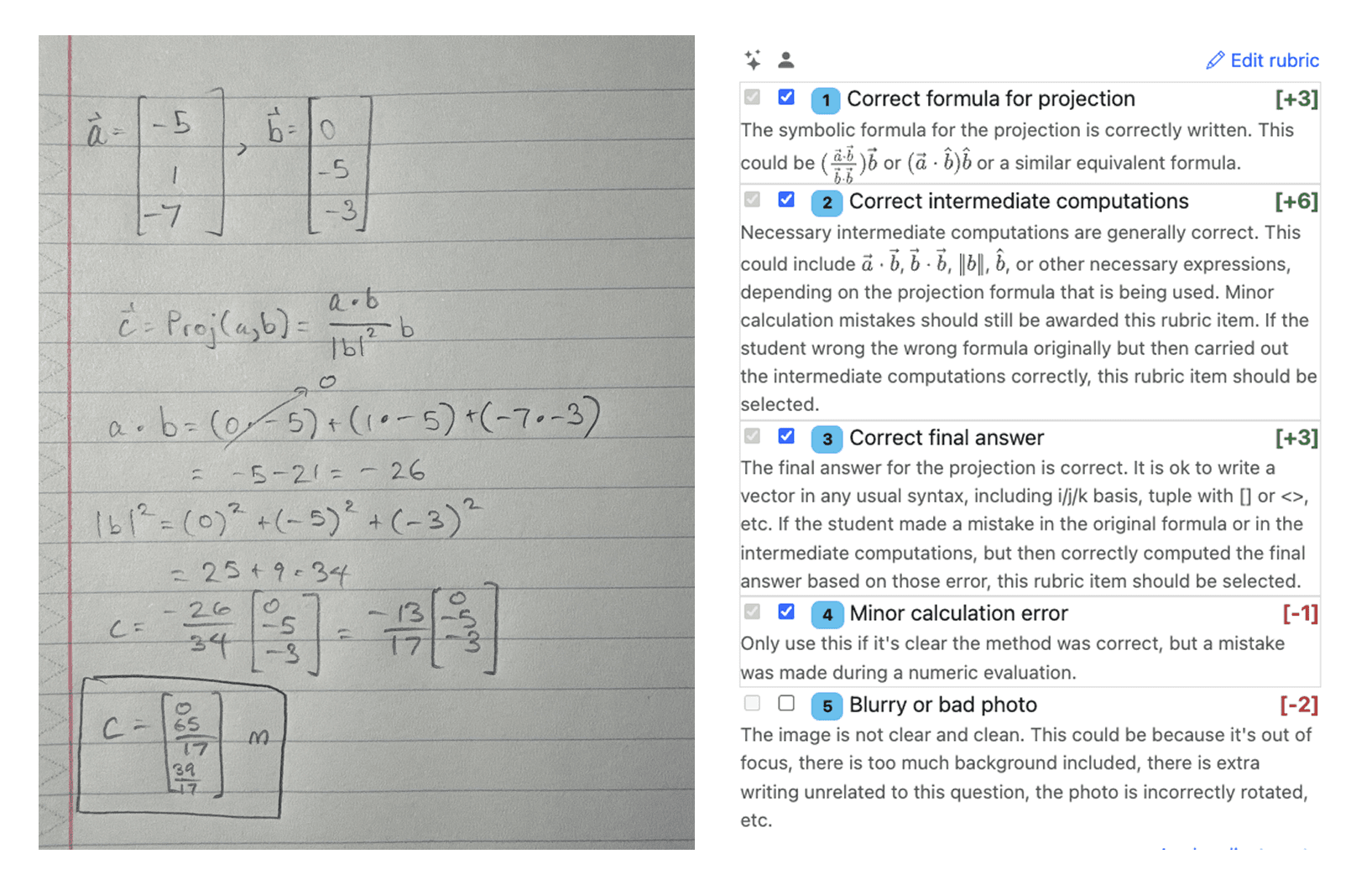
Each rubric item is graded individually, with point values applied.
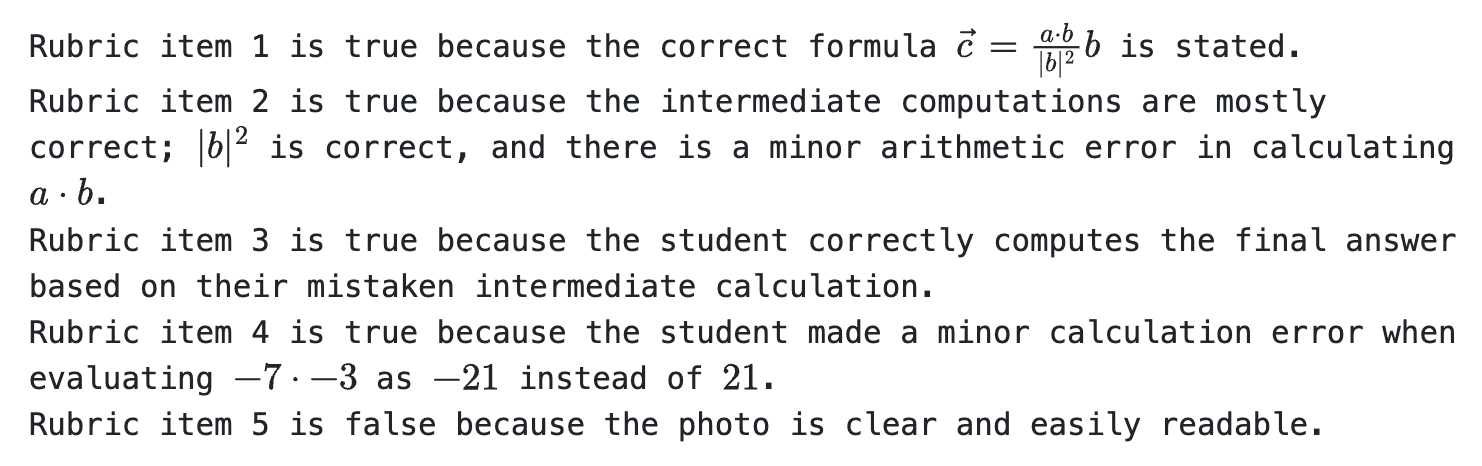
A written explanation accompanies every rubric decision, so you can audit the model's reasoning.
Payment options
Two ways to pay, depending on your preference.
Purchase credits with a credit card. PrairieLearn handles all interaction with AI providers.
Use your own AI provider API keys, and costs are billed directly to you.
Get started
To grade your first assignment with AI:
- Create a manually graded question with a rubric.
- Fund your account under Instance settings → AI Grading → Purchase credits.
- Open your assessment's Manual grading page.
- Choose AI grading → Grade all submissions, and pick a model.
More detailed information can be found in the AI grading documentation. If you have questions, let us know on Slack.