Stylish mustaches
PrairieLearn finally has stylish mustaches!
Unfortunately, I still can't grow a handlebar mustache. But all of our question.html and *.mustache files
authored in PrairieLearn's custom portmanteau of Markdown and HTML are now formatted and linted! The linter already caught bugs in 7 elements across our codebase.
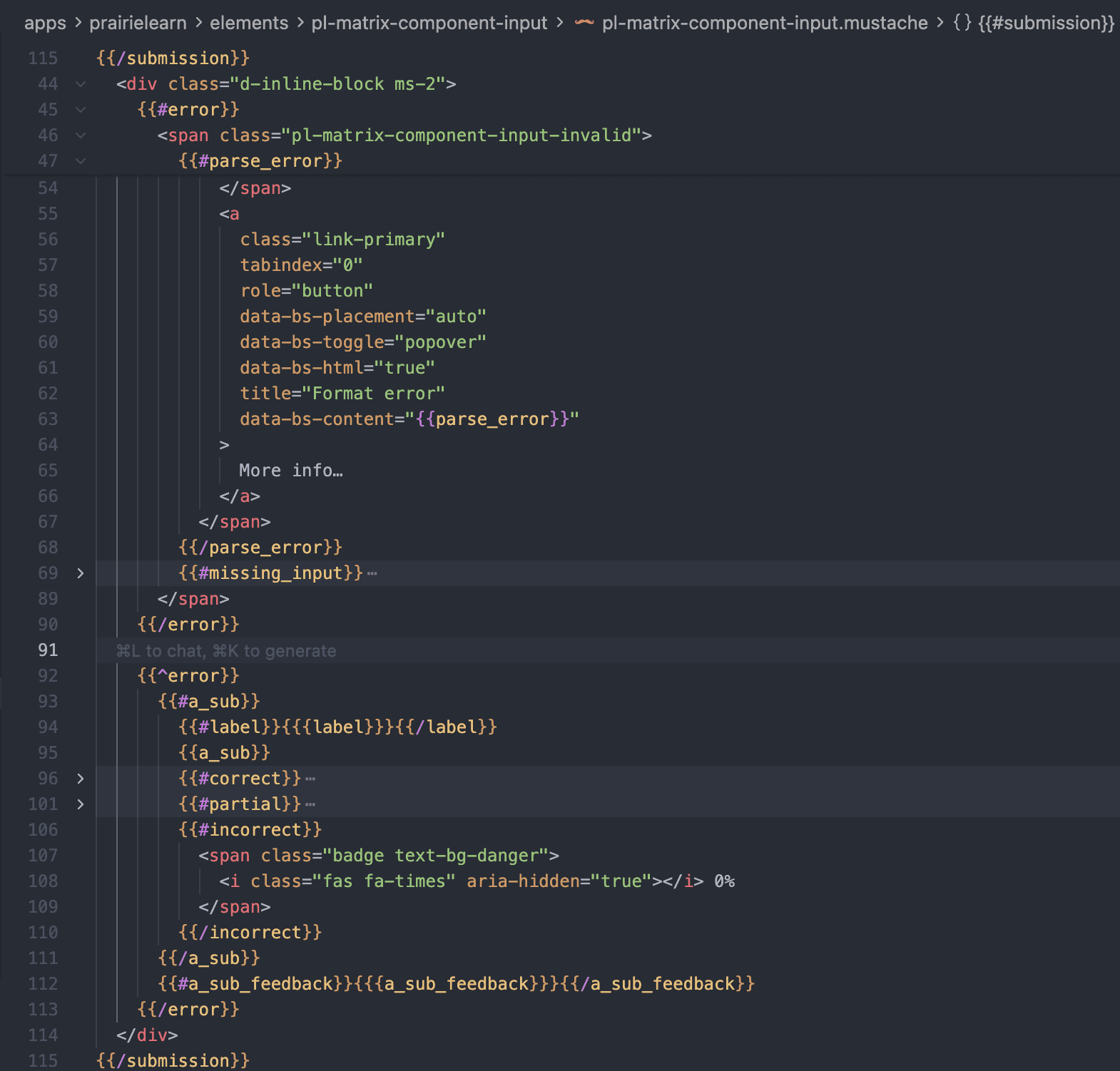
This is possible because of a new grammar, formatter, linter, and LSP (Language Server Protocol) server, treesitter-htmlmustache.
I did the original research and development for the grammar in July 2025. Then, in January / February 2026, I added a syntax highlighter, LSP, formatter, and linter based on this grammar, driven by a test suite and Claude Code.
Exploring the landscape
Before building a custom grammar, I explored several existing approaches to see if anything could handle our HTML+Mustache files.
- Can I use a pre-existing grammar?
Handlebars / Ember. I originally looked into Handlebars, which is a superset of Mustache that was taken over by the Ember team. This formatter is built into prettier, so it seemed like a good starting point. They already supported essentially our syntax, but I eventually abandoned the effort after discussions with the Ember team in Discord (Thanks @NullVoxPopuli), as it seemed that they wanted to wait for the TypeScript rewrite before making any changes to their parser (which was still in progress). There were also open issues around syntax differences between Handlebars and Mustache that were never resolved. Of course, this makes sense that they prioritize the language features that they need, and not the underlying parsing capabilities.
- Is there an easy way I can format / syntax highlight with a TextMate grammar?
TextMate grammars. Next, I looked into how editors like VSCode and Emacs do syntax highlighting. VSCode still uses TextMate grammars, which is an interesting artifact of the original implementation. There's also Atom's language-mustache grammar. However, the problem with TextMate-based grammars is that you can't get a parse tree from them easily (at least, I couldn't find a way). This means that you can never use them for formatting or linting.
- How can I define a proper grammar?
I never took the compilers class at UIUC, so I had limited experience with building my own lexer and parser. However, in CS 421, we did leverage ocamllex and ocamlyacc to build a parser for a simple language. I felt that building a grammar in a similar way would be the most feasible approach. This was before the November 2025 inflection point for AI agents being good enough to build a grammar for me.
Tree-sitter. At the suggestion of @shorden, I looked into building a tree-sitter grammar. Initial results were promising, with tooling like Topiary built for turning a grammar into a formatter easily (though I ended up hitting some limitations). I originally looked at basing it on the tree-sitter-htmldjango grammar, but the parsing (especially the tag matching) wasn't as good as I needed. Instead, I built on top of tree-sitter-html.
Building the grammar
The grammar is a custom tree-sitter grammar. The core challenge was handling how Mustache and HTML interact. Mustache and HTML are two independent nesting systems that can cross each other's boundaries. This is a relatively unique problem to templating languages (which in personal experience, have spotty linting, formatting, and syntax highlighting support).
Since the Mustache templating is processed before the HTML templating, the "primary" nesting system is Mustache. However, for formatting and linting, we need to know about the HTML nesting system (for tag matching).
This means that this is not a traditional regular grammar, but a context-sensitive grammar.
Tree-sitter grammars are typically defined using a combination of regular expressions and custom rules. However, in cases like these, you can use an external scanner to handle the complex parsing logic.
Inspired by tree-sitter-htmldjango and tree-sitter-html, I built a custom scanner that can handle the complex parsing logic.
What context do we need to maintain?
For each mustache section, we needed to know:
- What was the state of the HTML stack when the mustache section started?
- What is the state of the HTML stack when the mustache section ended?
The obvious solution is for each section-like mustache tag (e.g. {{#section}} and {{/section}}), we associate a list of the
HTML tags. However, these custom data structures (which contained variable-length lists of strings) must be manually serialized and deserialized out of memory.
After struggling with this for a while, I realized there was a simpler approach.
Just count it!
The key insight I made while developing the grammar was that you only need to maintain a count of the number of HTML tags that have been opened inside the current mustache section. Separately, the scanner can maintain a stack of HTML tags that have been opened. This allows the scanner to know exactly which HTML tags are associated with the current mustache section, and which are not, and vastly simplifies the amount of context that needs to be maintained.
The scanner maintains two parallel stacks:
typedef struct {Array(Tag) tags; // HTML tag stackArray(MustacheTag) mustache_tags; // Mustache section stack} Scanner;
Then, on each MustacheTag, we maintain a count of the number of HTML tags that have been opened inside the current mustache section:
typedef struct {String tag_name;unsigned html_tag_stack_size;} MustacheTag;
Then, we follow a simple algorithm to maintain the context when closing a mustache section:
- Is the HTML stack taller than the count on the current MustacheTag?
Yes: pop an HTML tag and emit an implicit end tag. Tree-sitter will hit this condition repeatedly until the HTML stack is the same height as the count on the current MustacheTag.
No: Emit the mustache end tag, and continue parsing.
MustacheTag *current_mustache_tag = array_back(&scanner->mustache_tags);if (scanner->tags.size > current_mustache_tag->html_tag_stack_size) {// HTML tags were opened inside this section that haven't been closed!pop_html_tag(scanner);lexer->result_symbol = MUSTACHE_END_TAG_HTML_IMPLICIT_END_TAG;return true;}
See it in action
Click through the steps below to see this algorithm in action:
{{#bold}} opens — pushed onto the Mustache stack, snapshots HTML stack size = 0.The snapshot number creates a fence — the Mustache close tag knows exactly which HTML tags belong to it (those above the fence) and implicitly closes them.
In line 1, <b> is force-closed when {{/bold}} arrives (the scanner sees the HTML stack is taller than the snapshot).
In line 2, </b> appears with nothing on the HTML stack -- the parser records it as an erroneous end tag.
The linter
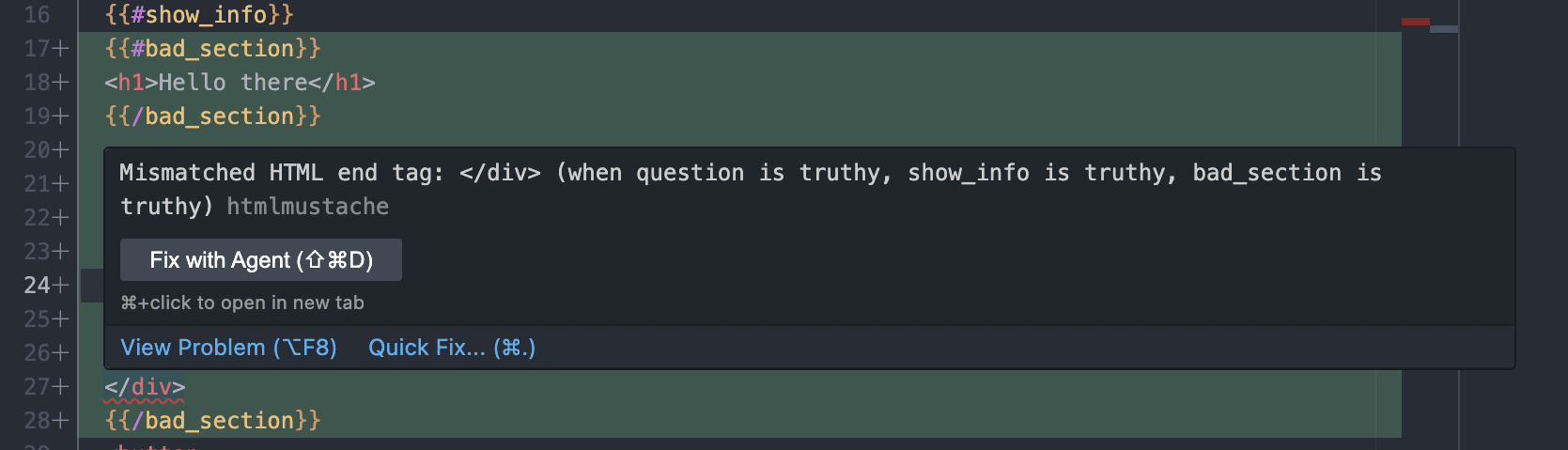
Now that the parser can handle these patterns, how does the linter verify correctness? The key challenge is that Mustache sections are conditionally rendered -- a rendered template might be valid (i.e. valid HTML) when a section is truthy but broken (i.e. invalid HTML) when it's falsy.
Mustache control flow is simple
Luckily, Mustache control flow is simple:
- There are only if statements (
{{#if}}) and if-not statements (i.e.{{^if-not}}) - The conditionals for each section are purely boolean true/false checks
This means that we know the state space of the template is 2^m, where m is the number of unique variables referenced in section conditionals.
How do we reduce the state space?
We can reduce m by being smart about what conditions are necessary for unmatched tags to be present.
We need unmatched tags to cross mustache section boundaries. Thus, we can ignore entire sections where the inner contents are always matched. This is the vast
majority of the state space. We have super useful nodes for calculating this (as a result of the custom scanner): html_forced_end_tag and html_erroneous_end_tag.
The linter uses a balance-checking algorithm that:
- Extracts fork points from the parse tree — each section that contains HTML "unmatched" events creates a fork with truthy (T) and falsy (F) branches
- Merges adjacent forks for the same section name — this avoids redundant analysis
- Balance-checks each fork's branches independently, skipping forks where both branches are balanced
- Enumerates the remaining paths (2^n for n unbalanced sections) and flattens events to find errors
Running the linter across the PrairieLearn codebase caught bugs in 7 elements — mismatched tags that had gone unnoticed because they only manifested in specific Mustache branch combinations.
Click through the steps below to see this algorithm in action:
forced_end_tag on <b> → fork(bold, T=[<b>], F=[])The formatter
I built a formatter inspired by Prettier's architecture. Using a similar intermediate representation to Prettier's command set kept the formatter architecture clean for agents to iterate on.
For example, given a mustache section with block content:
{{#show_hint}}<div class="hint" >Check your units!</div>{{/show_hint}}
The formatter classifies {{#show_hint}} as a block-level mustache section (because it contains a block-level <div>), then produces this IR:
Group["{{#show_hint}}"Indent[Hardline"<div class=\"hint\">""Check your units!""</div>"]Hardline"{{/show_hint}}"]
The Group tries to print everything flat first. Since the content contains a block-level child, a Hardline forces the group to break, and Indent adds one level of indentation to the contents. The final output is:
{{#show_hint}}<div class="hint">Check your units!</div>{{/show_hint}}
Bonus Features
Embedded languages
PrairieLearn's templates don't just contain HTML and Mustache — they also embed CSS/JavaScript, and code snippets inside custom elements like <pl-code language="cpp">. The LSP and formatter need to handle all of these.
In the LSP, I recognize these regions and delegate syntax highlighting to the appropriate VS Code textmate grammar. I delegate formatting to Prettier.
Custom lint rules
I also added support for custom lint rules using CSS-selector-like syntax, which is useful for enforcing patterns specific to PrairieLearn. For example, we can check for hidden inputs inside {{#items}} sections:
{"id": "no-hidden-inputs-in-list","selector": "#items > input[type=hidden]","message": "Hidden inputs inside {{#items}} sections are usually a mistake"}
Conclusion
This was a fun project to build, and I learned a lot about tree-sitter in the process. Turning this grammar into a full LSP server (the grunt work) would not have been possible without the help of AI agents. It's so exciting to see what is now possible with a clever idea and a few prompts. As I mention in my last blog post, I believe that providing tooling to agents is essential for them to be successful -- creating the "missing tooling" for our question format will pay dividends!
You can check out the full implementation in the treesitter-htmlmustache repository. If you have questions or feedback, open an issue on the repository!